Install the package for an existing UiPath process
All UiPath processes consist of various activities. When a Robot launches a process, or when UiPath Studio opens one, it searches the available activity feeds for the relevant activities and downloads them. To open the sample ABBYY FlexiCapture 12 Processor process, place theAbbyy.FlexiCapture.WebApi.Client.nupkg and Abbyy.Activities.UiPath.FlexiCaptureActivities.nupkg packages in an activity feed that the Robot can reach.
Place the packages in the Robot’s local feed
Copy both packages into the folder that matches your UiPath edition:- UiPath Community Edition –
%LocalAppData%\UiPath\app-xx.x.x\Packages, wherexx.x.xis the UiPath version number - UiPath Enterprise Edition –
C:\Program Files (x86)\UiPath\Studio\Packages
Place the packages in the Orchestrator activity feed
Packages in the Orchestrator activity feed are available to every Robot connected to Orchestrator, which cuts the time needed to update a package for all of them. Use the method for your UiPath edition:-
UiPath Community Edition – Go to the cloud Orchestrator and select Processes → Packages. Then click Upload and upload the
Abbyy.FlexiCapture.WebApi.Client.nupkgandAbbyy.Activities.UiPath.FlexiCaptureActivities.nupkgpackages one after another.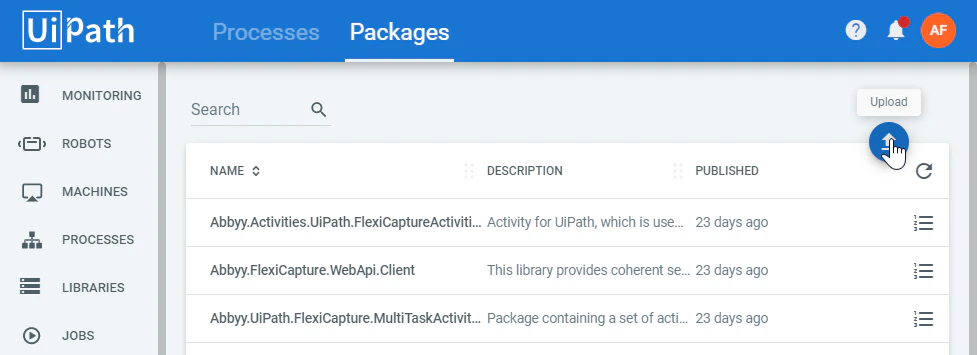
-
UiPath Enterprise Edition – Copy the packages to the Orchestrator activity feed. By default it is located in
C:\Program Files (x86)\UiPath\Orchestrator\NuGetPackages\Activitieson a machine that has Orchestrator installed. You can also download the packages on the Libraries tab in the Orchestrator web application.
Add the package to a new UiPath process
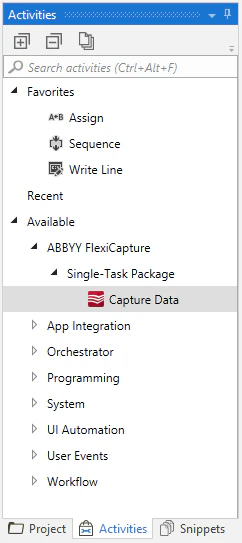
To use the Capture Data activity in a new process, or to add it to an existing one, include theAbbyy.Activities.UiPath.FlexiCaptureActivities.nupkg activity package in the dependencies of the process.
1
Open Manage Packages
Open an existing process in UiPath Studio and click Manage Packages.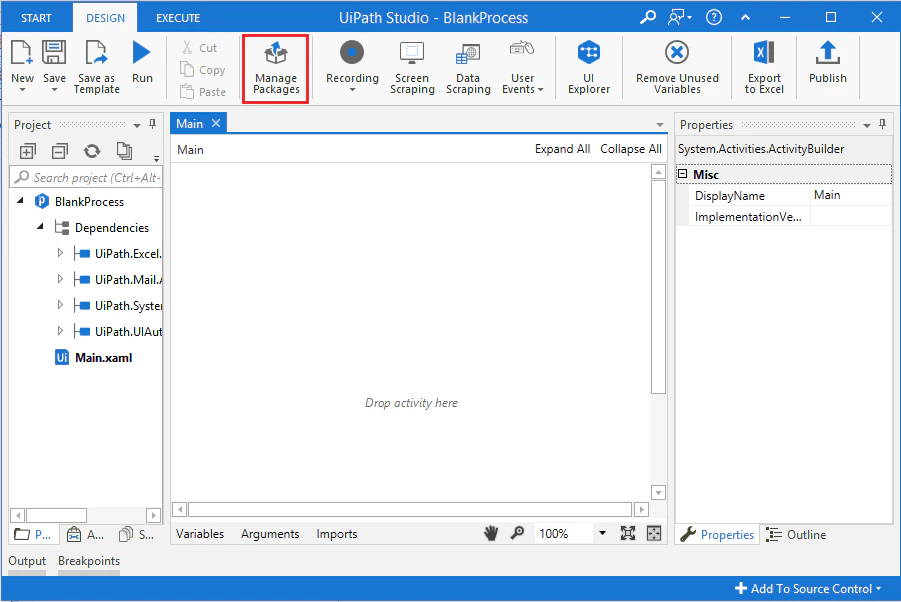
2
Find the local package source
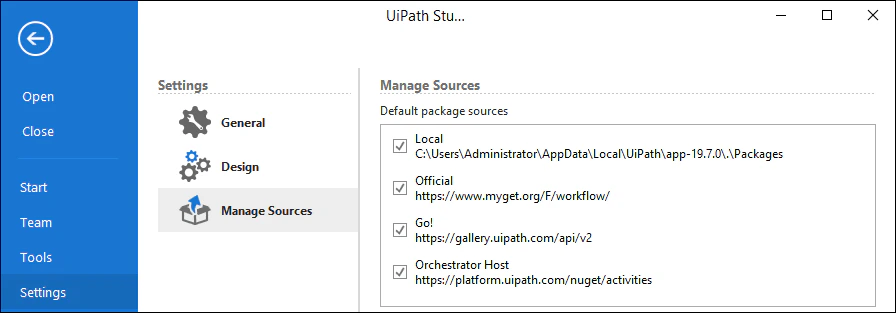
Select Settings and find the local Source in the Default package sources list.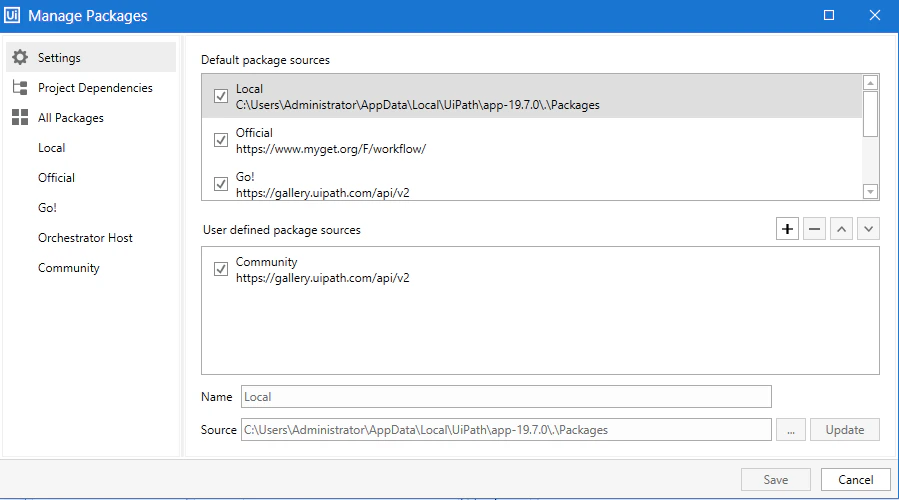
3
Copy the packages to that source
Copy the
Abbyy.FlexiCapture.WebApi.Client.nupkg and Abbyy.Activities.UiPath.FlexiCaptureActivities.nupkg packages to the folder specified in Default local package source.You can also place these packages in any other available source from the list.4
Install the activity package
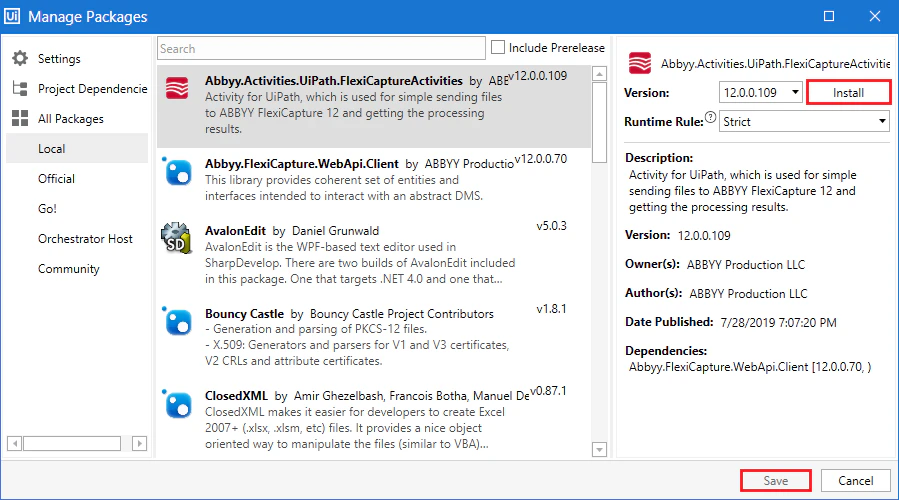
- Go to Manage Packages and navigate to All packages → Local.
- Select Abbyy.Activities.UiPath.FlexiCaptureActivities in the activity list.
- Click Install, and then click Save.