
Run the workflow after it is created and the ABBYY FlexiCapture project is configured.

Run the workflow

1

Add the files to process

Place the files you want to process into the input folder before you start.
2

Select the input and output folders

The workflow prompts you for an input folder and then an output folder. The workflow starts after you select both.
3

Collect the results

When the workflow completes, the result files appear in the output folder.
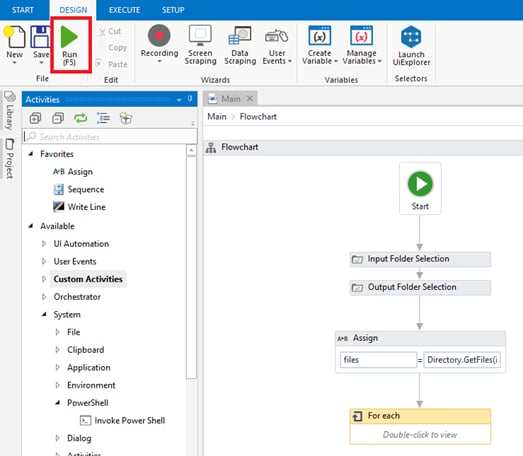
Screenshot of the workflow open in UiPath Studio, showing the flowchart with Input Folder Selection, Output Folder Selection, an Assign that loads files from the directory, and a For each loop, with the Run button highlighted on the Design ribbon.

View the activity logs

The logs created by the activity appear on the Output tab at the bottom of the screen.