
This is a supplementary object. It is designed to store the information about the region of an ABBYY FineReader Engine block. A region is represented as a set of rectangles:
  • positioned without intersections or overlaps
  • added in left-to-right or top-to-bottom order
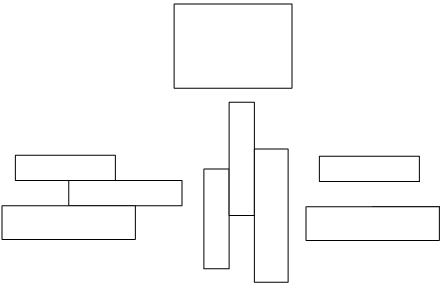
Some examples of ABBYY FineReader Engine regions are shown below: Regions An empty Region object can be created by calling the IEngine::CreateRegion method, and then rectangles can be added to it one-by-one by calling the IRegion::AddRect method. We recommend that you add rectangles in top to bottom (or left to right) order, because the Region object is optimized for it, and this is the fastest way to add rectangles to it. The Region object is a persistent object. This means that the object’s current state can be written to persistent storage. Later, the object can be re-created by reading the object’s state from the persistent storage. The following methods provide persistence of the object: Linux: SaveToFile, and LoadFromFile Windows SaveToFile, LoadFromFile, SaveToMemory, and LoadFromMemory.

Properties

NameTypeDescription
ApplicationEngine, read-onlyReturns the Engine object.
Bottomint, read-onlyReturns the coordinate of the bottom border of the specified rectangle.
BoundingRectangleFRRectangle, read-onlyReturns the minimum rectangle which contains the whole region.
Countint, read-onlyStores the number of rectangles in the region.
IsEmptyVARIANT\_BOOL, read-onlySpecifies whether the region is empty.
Leftint, read-onlyReturns the coordinate of the left border of the specified rectangle.
Rightint, read-onlyReturns the coordinate of the right border of the specified rectangle.
Topint, read-onlyReturns the coordinate of the top border of the specified rectangle.

Methods

NameDescription
AddRectAdds an area to the region.
AddRegionAdds a new area to an existing region.
CopyFromInitializes properties of the current object with values of similar properties of another object.
CutRectCuts a rectangular area from a region.
HasIntersectionWithRectCalculates if the region intersects with the specified rectangle.
HasIntersectionWithRegionCalculates if the region intersects with the specified region.
IsEqualCalculates if the region is equal to the specified region.
IsPointInRegionCalculates if the specified point is inside the region.
IsRectInRegionCalculates if the specified rectangle is contained within the region.
IsRegionInRegionCalculates if the specified region is contained within the region.
LoadFromFileRestores the object’s contents from a file on disk.
LoadFromMemory <Note> Windows only. </Note>Restores the object’s contents from the global memory.
MakeEmptyRemoves all the rectangles from the region.
SaveToFileSaves the object’s contents into a file on disk.
SaveToMemory <Note> Windows only. </Note>Saves the object’s contents into the global memory.
Region Object Diagram

Output parameter

This object is the output parameter of CreateRegion method of the Engine object.

Input parameter

This object is passed as an input parameter to the following methods:

Samples

This object is used in the Business Card Recognition (macOS) code sample.

See also

Working with Properties